iGuide rep told me they need the panos to process the floor plan. So how do you get the iguide before panos?
Sorry for the questions. I feel like a Total noob right now.
iGuide rep told me they need the panos to process the floor plan. So how do you get the iguide before panos?
Sorry for the questions. I feel like a Total noob right now.
With Aryeo, i copy and paste property description from zillow of available. If not, agent can fill in themselves.
Mike
This is my iguide workflow
Shoot property, watch for alignments as you go (you can see the scans lines apear as you go)
upload files to PC
open stitch and located project files
fine tune scan alignments in Stitch
edit pano images for colour/brightness etc
set starting pano for the tour
save it all and create the .TAR file that iguide drafters use to create the tour.
wait to get notification that the iGuide is ready
review it for errors
send to client
invoice client
It’s a mixture - but mostly it’s me - either taking from their social media feeds (most do a coming soon posting) or they send to me, or I take from MLS once it’s up. All depends on the agent and the computer skills mostly. It’s a bit of extra work, but appreciated by most agents. And there are some who do it themselves or have their assistants do it.
So can you send the tar to iguide, outsource the panos, and upload them next day?
This is where im getting confused.
NO need to out source the panos - doing so would really slow things down. Stitch does most of the heavy lifting for you - as Dan suggests very little needs to be done maybe colour correction that’s it.
When you export the project to create the .TAR file, that bundles everything together - the panos the point cloud - everything they need.
I send my 5-stop HDR photos taken with my Canon camera to editors - as someone else said - it’s faster better and much cheaper if you factor in your time saving.
Ok… The 5 stop canon photos… Yes. I outsource that.
I have been outsourcing my 5 stop z1s as well.
I see that you can shoot hdr z1, or brackets. Most suggest -5/+2? . Stich will merge these? Im looking for the window pulls.
You do take the deposit before you start?
This is a sidenote to the original comment. I’m just starting up my real estate photography company, and I am trying to research the differences between HDPhotohub vs. Aryeo. Can anyone tell me some major differences? They look similar, but Aryeo looks a good bit cheaper.
I like that HD photo hub advertises the ability to add copyright disclosure statements before you pay and pick up the photos. Does Aryeo do that as well?
Also, does the flyers that the iGuide can create compare in quality to these marketing services?
Thanks!
I use Aryeo and absolutely love the features it provides…online scheduling for the client, a year’s worth of their listings at a glance, etc.
I no longer send the report from iGuide, but link the branded and unbranded tours to the Aryeo page it creates. I copy the floorplans over in JPEG form to the Aryeo page. I dont have any agents who care about the analytics because properties are moving too fast for it to matter.
Yes aryeo does that! I have an agreement built into every order that they must agree to before payment. It takes care of that and I’ve yet to have one complaint.
I use Aryeo and love it for the reasons you all already know.
I put my iGuide links into Aryeo so they are available with all the other assets—photos, web page, marketing material—that are available from the Aryeo portal. I don’t send the iGuide report upfront since I have a ‘pay before download’ policy for assets, iGuide included. I will add my client to the report after they download so they get the report from then on.
Once the listing hits the MLS I copy the property information into my Aryeo listing so it populates the web page and marketing material if the client wants to use those. I also use the Aryeo web page to market my photos and I market my Aryeo client portal as a benefit to using my services by putting web page and social ad links in social posts on my FB page.
There is some cross over between Aryeo and iGuide in terms of delivery, since you can add photos to an iGuide gallery. I keep all my assets within the Aryeo sphere though, since that is my overall client portal for running my business.
~Jsj
Hey Jarid - I am trying to upload some floor plans to aryeo. You say that you use the links provided in report, does that include the floorplans? How do you get the floor plans into aryeo? Can you also upload the 360 tour as well in areyo? If so, how do you do that?
Thanks
C. Harris
I figured out how to upload the Iguide. It’s the floor plans I’m not understanding how to get those in the floor plans section of the aryeo listing.
C. Harris
I take a screen shot (with my logo) and upload this to Aryeo. I attached a recent shoot that I did as an example. Then I use the Marketing feature and generate a tile, post it on my social media feeds with that link that is branded for the agent. @propicsta & @measuremyspace
Thanks Dan - I did the screenshot mmethod and it worked.
Thanks
C. Harris
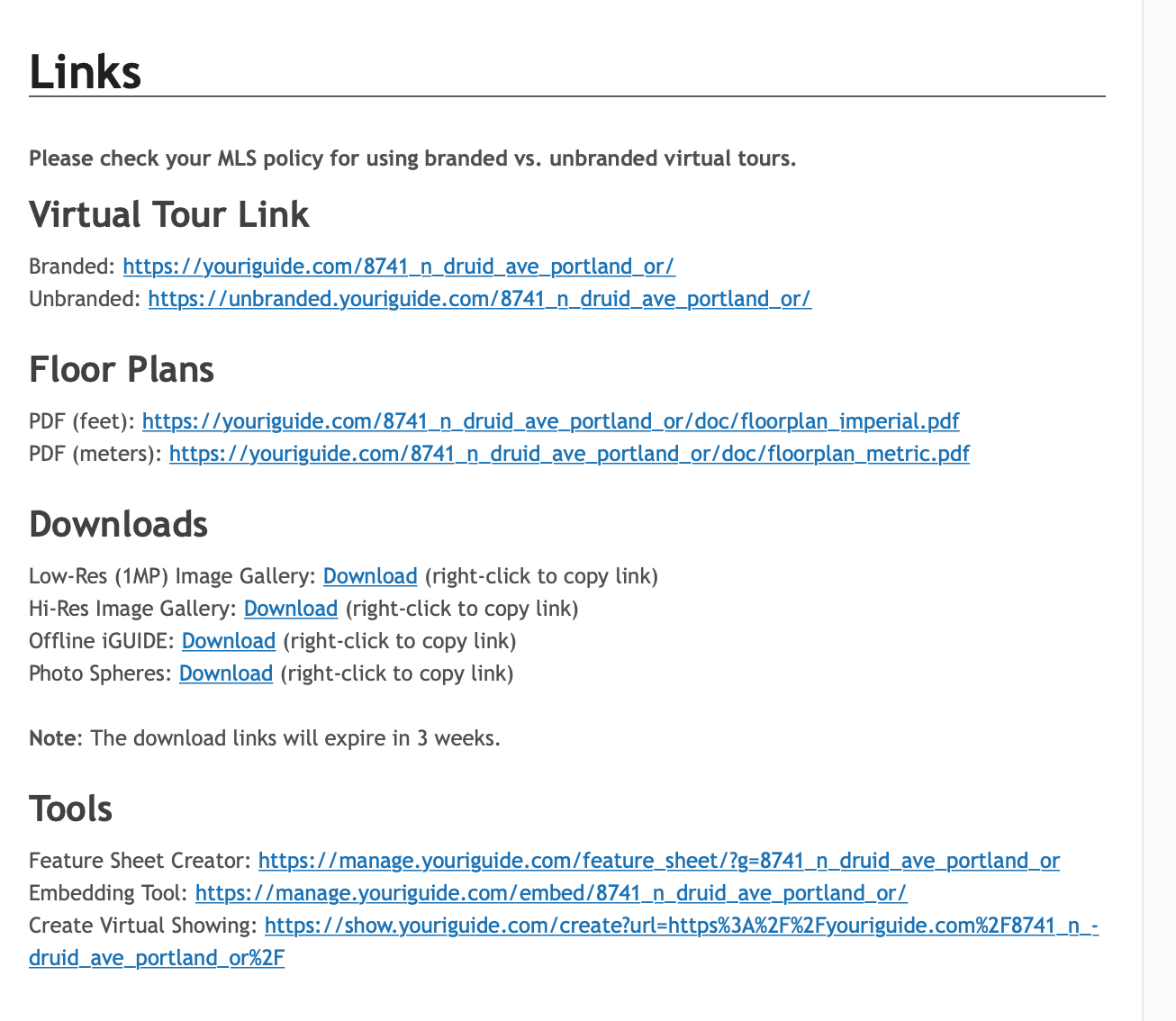
There are links in managemyiGuide for the tour, the floor plan is already attached ti the tour. Go into Aryeo to the tab that says “add 3D content” and insert the link there.
If the tab is not there you can add it to your listing.
Jsj
Let me know if this helps, if not maybe we can to all on the phone.
Hey Jarid - Thanks for the response. I was able to figure out how to add the links. I was more wanting to know how to add the floor plans seperately from the iguide report into Aryeo. I tried the method abiove by taking a screen shot. The only problem with that is the images is small. In Areyo section for floor plans. It will only take an image. When I took a screen shot as mentioned above, that image when you click on it wont enlarge for better viewing. The snipit tool makes them small. Is there any other way to get floor plans into Aryeo other that the screen shot method?
Do your screenshot on a large 4k monitor, and the resolution will be much greater if you are using a Mac. Not sure if it works on a PC the same way.
@charris If you look at the report you get via email it will have links to the floor plan pdf. If you can create a jpg from the pdf, then that can be uploaded to Aryeo as an image. It doesn’t look like there is the ability to add a link for the floor plan like with the 3D content.
I am going to contact Aryeo and see if they can add that feature.