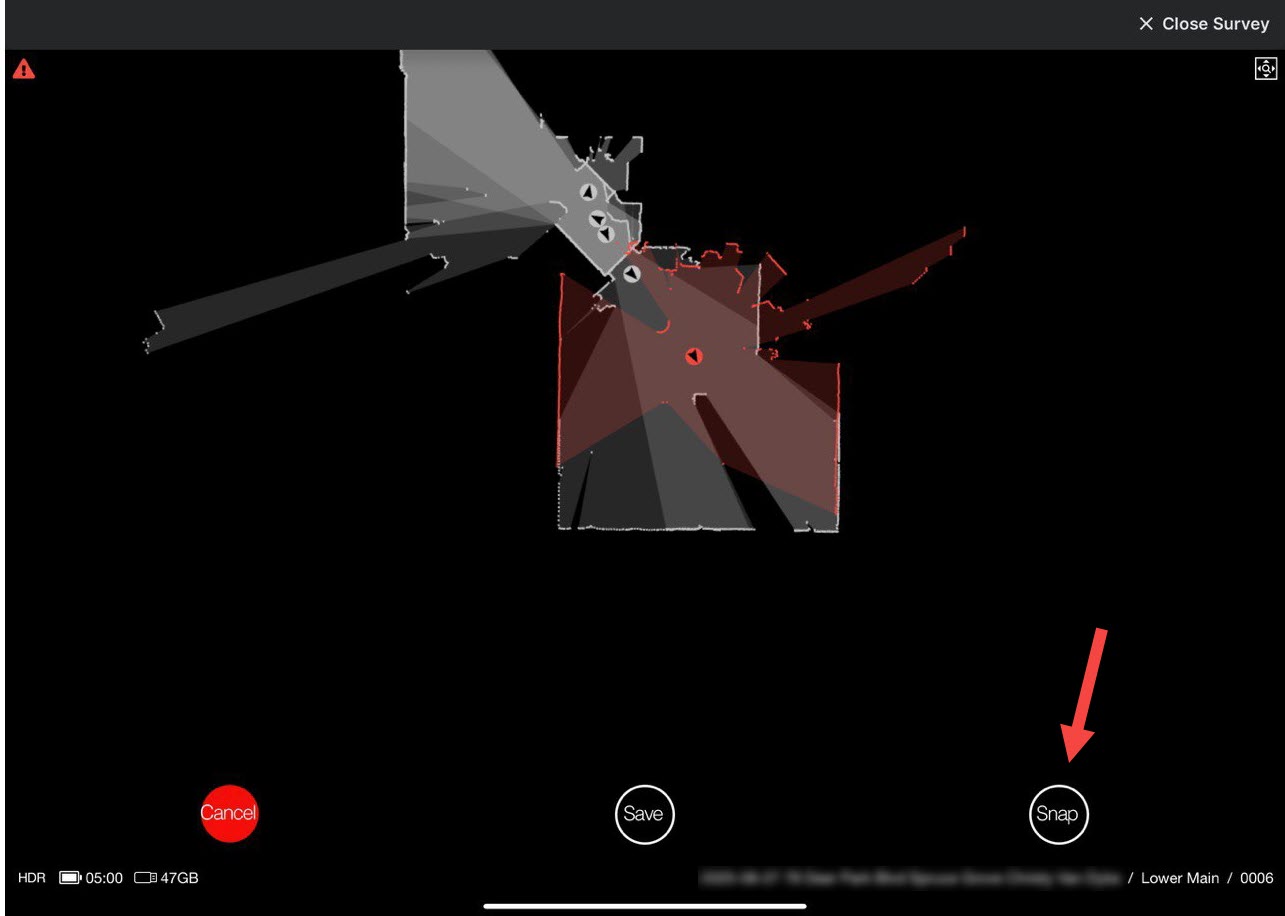
Please fix the indicator on the Snap button that shows whether the snap functionality is enabled or disabled.
It used to be shaded blue if enabled and was not shaded if disabled. As of a recent firmware update the shading is gone, so there is no indicator showing whether snap mode is on or off.
1 Like
Thanks for flagging Leroy, we’re on it.
Just closing the loop to let you know that a fix is currently in progress and is expected to be deployed within the next couple of weeks. Thank you again for flagging this!
Has the fix been delayed? I run into this regression every day.
Thank you for following up! I am checking on this fix and should have an update for you shortly.
Greg called me about this today and the fix for Planix Pro cameras is on the way. Thanks for escalating this.
1 Like
This appears to be fixed with today’s firmware update.
Thank you.
You’re welcome! Thank you for letting us know that it is working as expected on your end.
Is there any way we can be notified when new firmware is released? I don’t run my camera every day. Is there a place where I can read the release notes to see what is new/changed?
Peter
The Survey app notifies you when new firmware is available. Planitar also used to send emails with tech updates, but I don’t think I’ve seen those in a long time.
I’m hoping that you can resolve the login issue ASAP.
I need to ask a support question before uploading data for one of today’s shoots. e.g. in the next couple of hours.
Not being able to log into the support portal is an impediment to wrapping up my work day.
Thanks.
Yes, but I don’t my camera sometines for several weeks. Secondly, I don’t like doing an update right before a job, not knowing what has changed.
Peter
Oh, I agree.
I think today’s firmware was forced. I do not recall seeing a way to skip it, though I was onsite and in a hurry to start a shoot so I may have missed it.
I would have been very cranky if the forced update broke something, like other updates have.