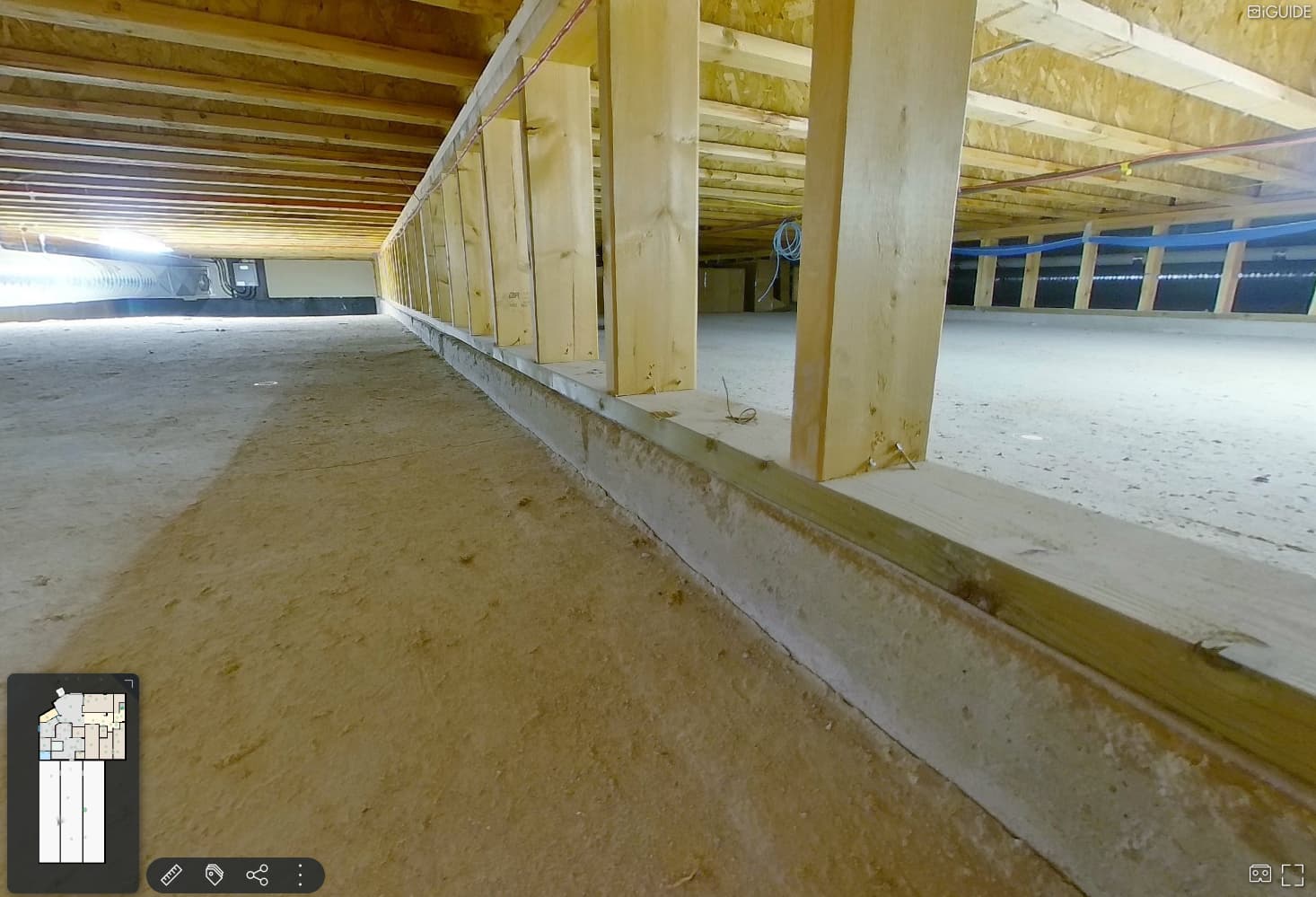
I have a client interested in a 3D Model of a crawl space under a house that is about 2400 sq. ft. Is that possible with an iGuide system? There is only 3-4 feet of height in the space and I’m sure lighting would be an issue. It would be a bit labor intensive since I would have to take a picture on one side of the camera, crawl around to the other side, take the 2nd side picture, move lights and camera, repeat, repeat… If possible, how far apart should the scans be? How much would anyone on the forum charge for something like that? -Thanks!
I hope someone replies with good advice for deploying iGUIDE tech for this. (With apologies to Planitar…) I have used Cubicasa 3D renderings for this purpose. Measurements are garbage, but the 3D floorplan and 3D Video walk-through work fairly well – only caution is to add notes about if/how you want the crawl-space staged if at all. Their drafters sometimes will try to recreate whatever happens to be in a room when you wouldn’t choose to include.
I’ve scanned a couple of smaller crawl spaces but they were 4-5 feet high so a little easier to work with.
Consider buying a $30 dollar garage creeper to make it easier on you. Hopefully the space is level so you can roll around instead of duck walking.
As for how many scans to do, I would treat it like any other space.
For pricing, you could consider the extra time and effort required and charge more than your regular rate. Or just look at this as an outlier in the range of properties and just do the work for your regular rate. For me it would depend on the client and whether they are a good, regular client.
Hi LevelUp - I’ll send you a DM as well to help with specific advice, but this is an everyday occurrence for at least one of our operators!
Because the desired deliverable is a 3D model, regular scan density is required. If it’s a simple square or rectangular space with clear edge boundaries, you can likely get away with fewer scans, but if its boundaries are inconsistent (think stone foundations, etc), then I’d suggest ensuring good overlapping higher density coverage.
And don’t forget verticals! For most spaces, capturing a front to back scan line and a side to side scan line is what’s required (while the camera is parallel with the ground of course!). Important data is actually vertically scanning down to the crawl space (the stairs/ladder/etc), which allows our drafters to vertically place the floor within the 3D model in relation to all the other floors. Being able to capture the floor plane of the floor above in the same scan as the floor plane of the crawlspace would be the holy grail!
Equipment matters too! Generally, when you don’t need a 3D model, you can almost place the PLANIX on the ground or use a miniature tripod to capture but since you require a 3D model you’ll need a stable tripod that can operate at the lower height and have a ball head which allows you to lay the PLANIX down, parallel with the floor to capture your verticals. Also knee pads could save the back